Pay-per-view posts
Lock any post behind a price. Subscribers see it in the feed and unlock it with one payment.

OFEngine is a ready-to-install fan subscription platform: pay-per-view posts and locked messages, tips, a fan wallet, livestreams, team logins for chatters and card processors that work with adult creators. Plans from $300, paid once, with no cut of your sales.
OFEngine is independent software. It is not affiliated with, endorsed by or connected to OnlyFans.
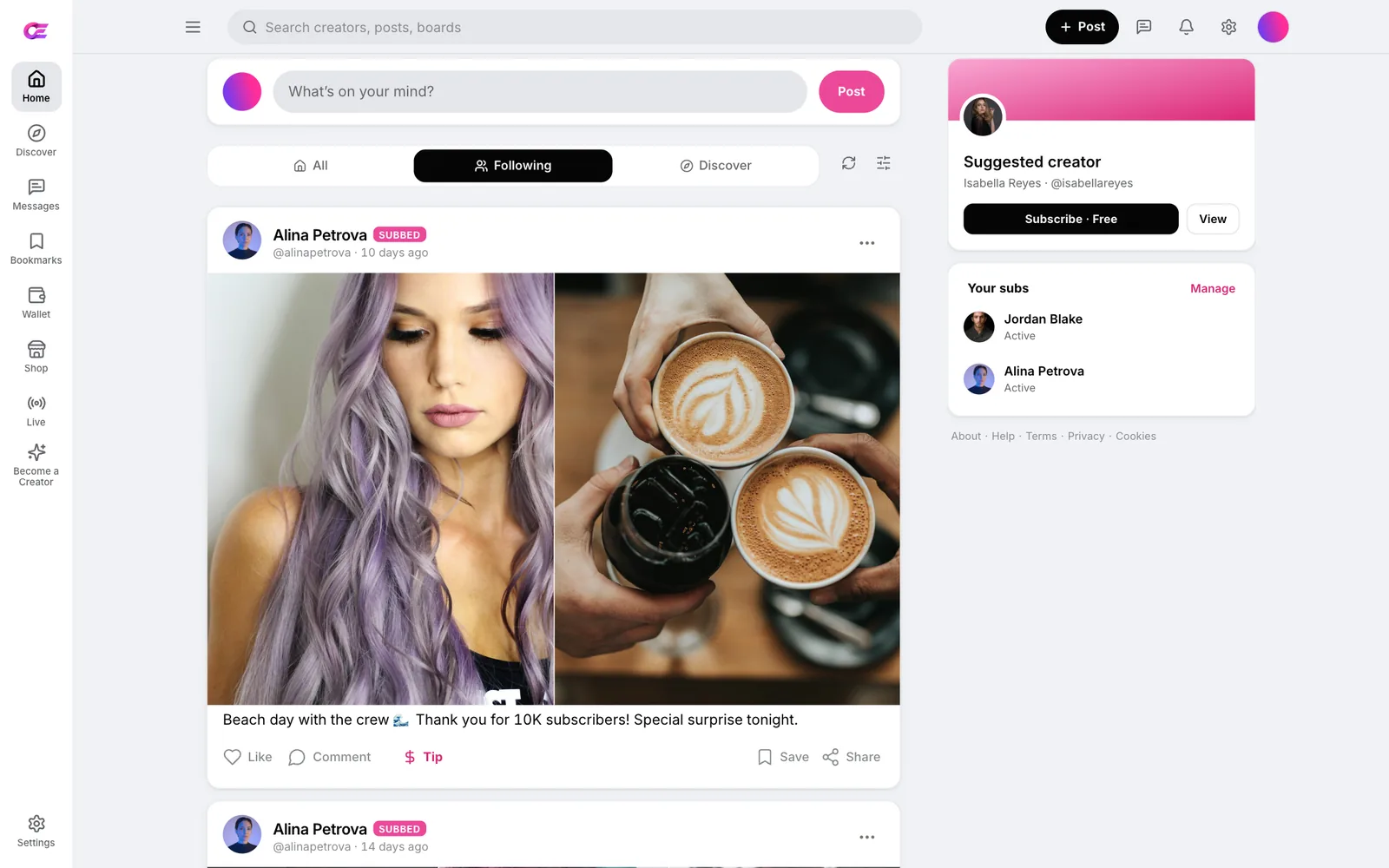
Fans can pay for far more than a monthly subscription: unlocks, tips, calls and products. OFEngine ships each of those payment paths ready to switch on, so you are not paying a developer to build them one by one.
Creators set a free or paid subscription. Fans pick a plan and pay from their wallet balance or a card in a single modal.
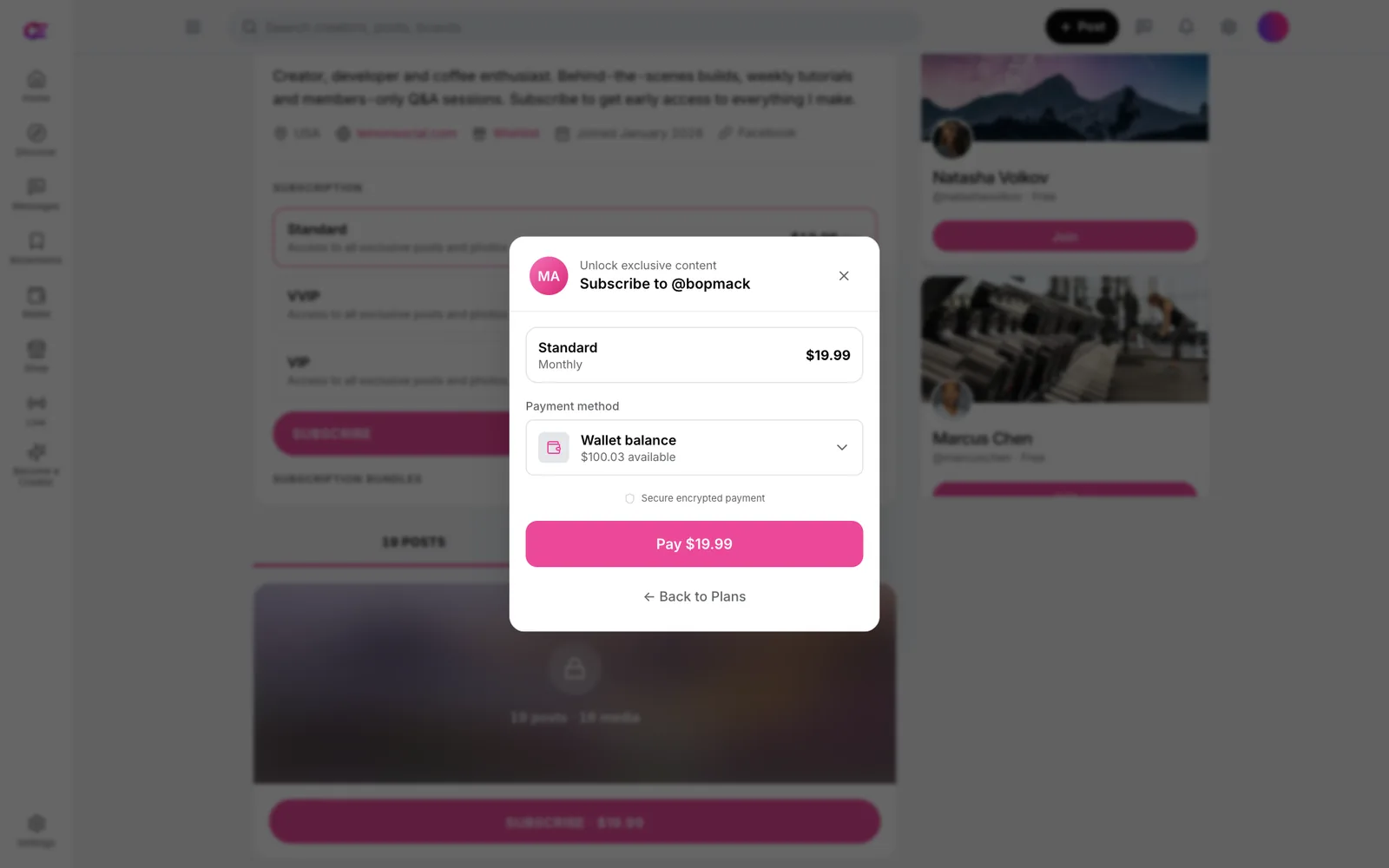
Fans tip on posts and in messages, using quick amounts or a custom figure with a note. Tips, unlocks and subscriptions can all draw on the fan's wallet balance.
You set the allowed tip range and turn the wallet on or off in the admin platform settings.
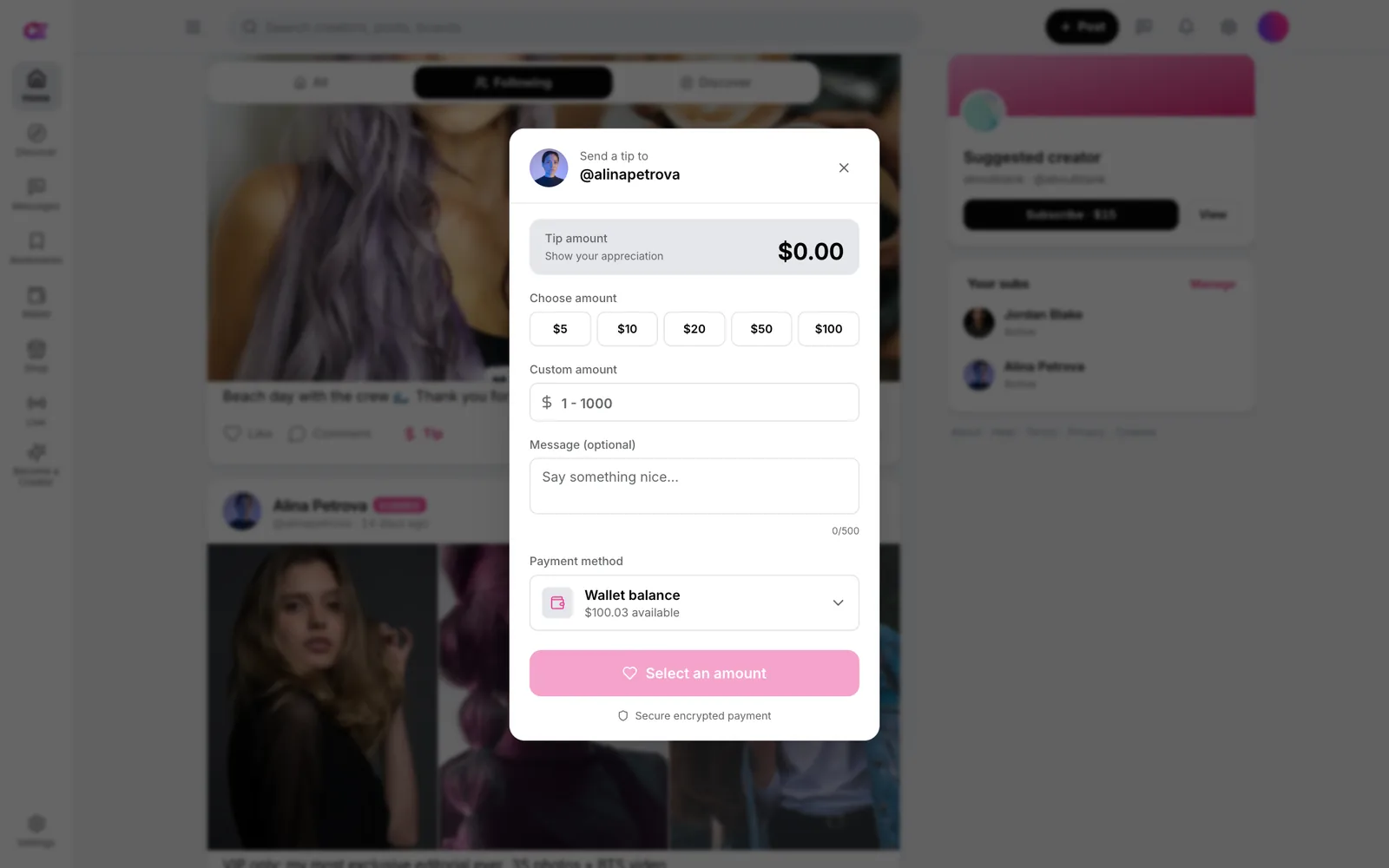
Lock any post behind a price. Subscribers see it in the feed and unlock it with one payment.
Send media in a DM that opens only after the fan pays. This is where most chat sales happen.
On posts and inside conversations, with quick amounts and a message.
Creators go live by RTMP or webcam, and fans send gifts during the stream.
Private paid calls between a creator and one fan.
Sell files with automatic delivery, with sales and revenue per product.
Several tiers per creator, multi-month prices and trial links.
Fans load a balance once and spend it across creators.
Sell anything through a shareable URL, with no fan signup needed.
Locked media offers, follow-ups and win-back messages all happen in direct messages. OFEngine gives whoever runs the inbox, the creator or a chatter, the tools to sell there.
Every plan has direct messages with photos and video, locked media offers and tips inside the thread.
Whoever is replying sees the fan's context inside the conversation, so the offer fits the person.
Message fan lists such as active, expired, renewing soon or top spenders in one go.
Queue messages to go out later, and send voice notes to fans.
See which fans spend most, so the team knows who to look after first.
Tag fans, keep notes and build your own segments for follow-ups.
Plan split: DMs with PPV and tips are in every plan. Mass messaging, scheduled DMs and paid video calls start at Pro. The CRM and team roles start at Business.
For an adult fan site, payments are the hard part. Stripe's restricted list rules out adult content,[3] so an adult site needs a high-risk processor. OFEngine has those integrations in the code, ready for your merchant credentials.
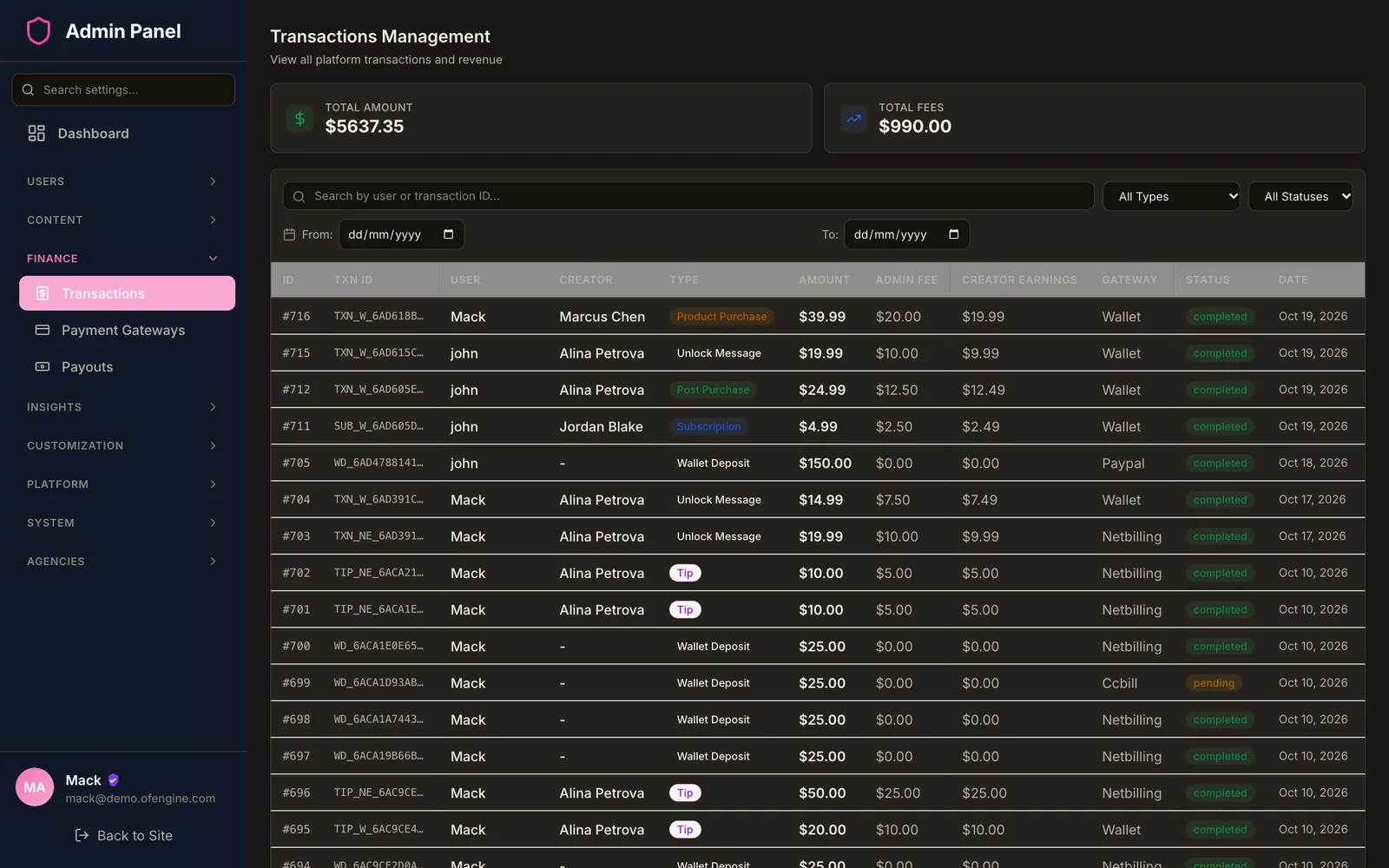
The admin transactions screen lists subscriptions, tips, unlocks and wallet deposits with the amount, your fee and the gateway that took the money.
Each gateway has its own status, platform fee and webhook URL in the payment settings.
FlexForm hosted checkout comes with every plan. The CCBill RESTful API is added from Pro.
A second high-risk card processor, so you are not tied to one underwriter.
Take cryptocurrency payments for fans who prefer not to use a card.
For SFW creator sites, such as fitness, cooking or coaching, where those processors allow the content.
What the code does not do for you: a gateway in the code is not an approved merchant account. You apply to the processor, pass its review and pay its rates. Card networks also set rules for adult sellers: in 2021 Mastercard said banks must certify that sellers have documented age, identity and consent checks for people in uploaded content.[5] Our payment gateways guide covers the application side.
When you own the site, you also do the jobs a hosted platform does for its creators: checking who they are, handling reports and paying them. These are the screens you use for that.
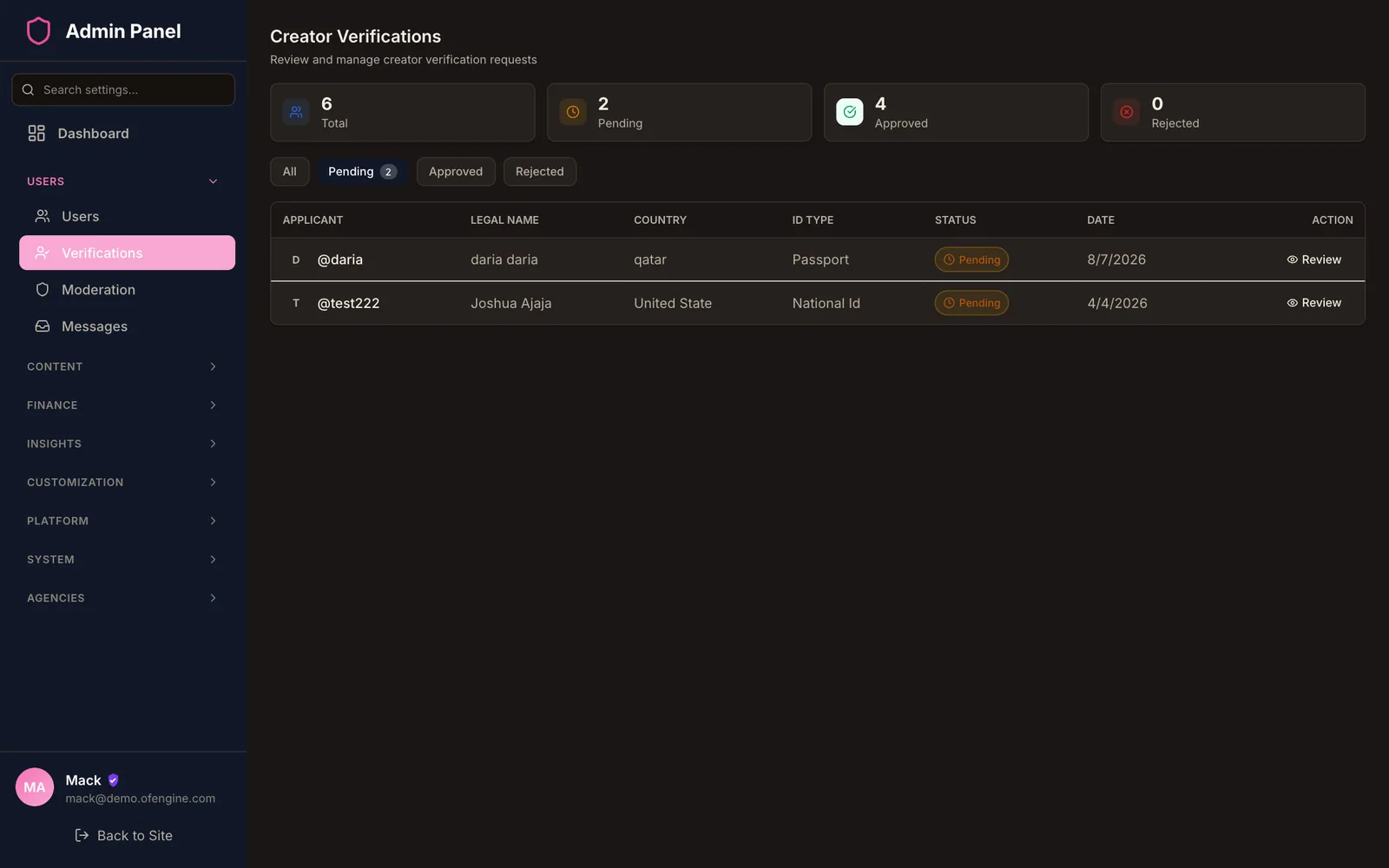
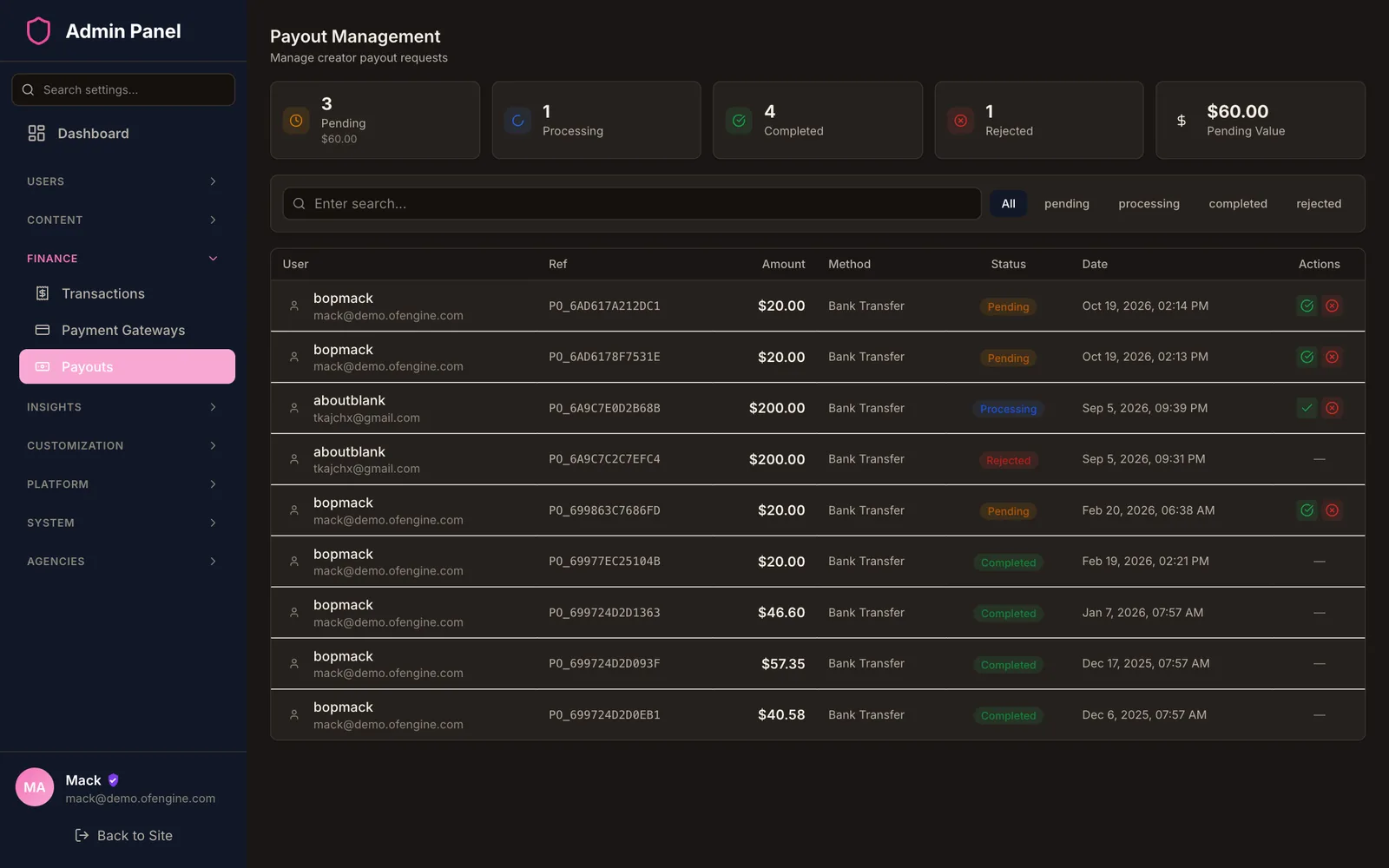
Age checks, plainly: the 18+ screen is a self-declaration. It does not meet Ofcom's standard for adult sites in the UK, and Ofcom runs an enforcement programme on age assurance.[6] OFEngine has no built-in third-party age-assurance vendor, so a UK-facing adult site needs to add one.
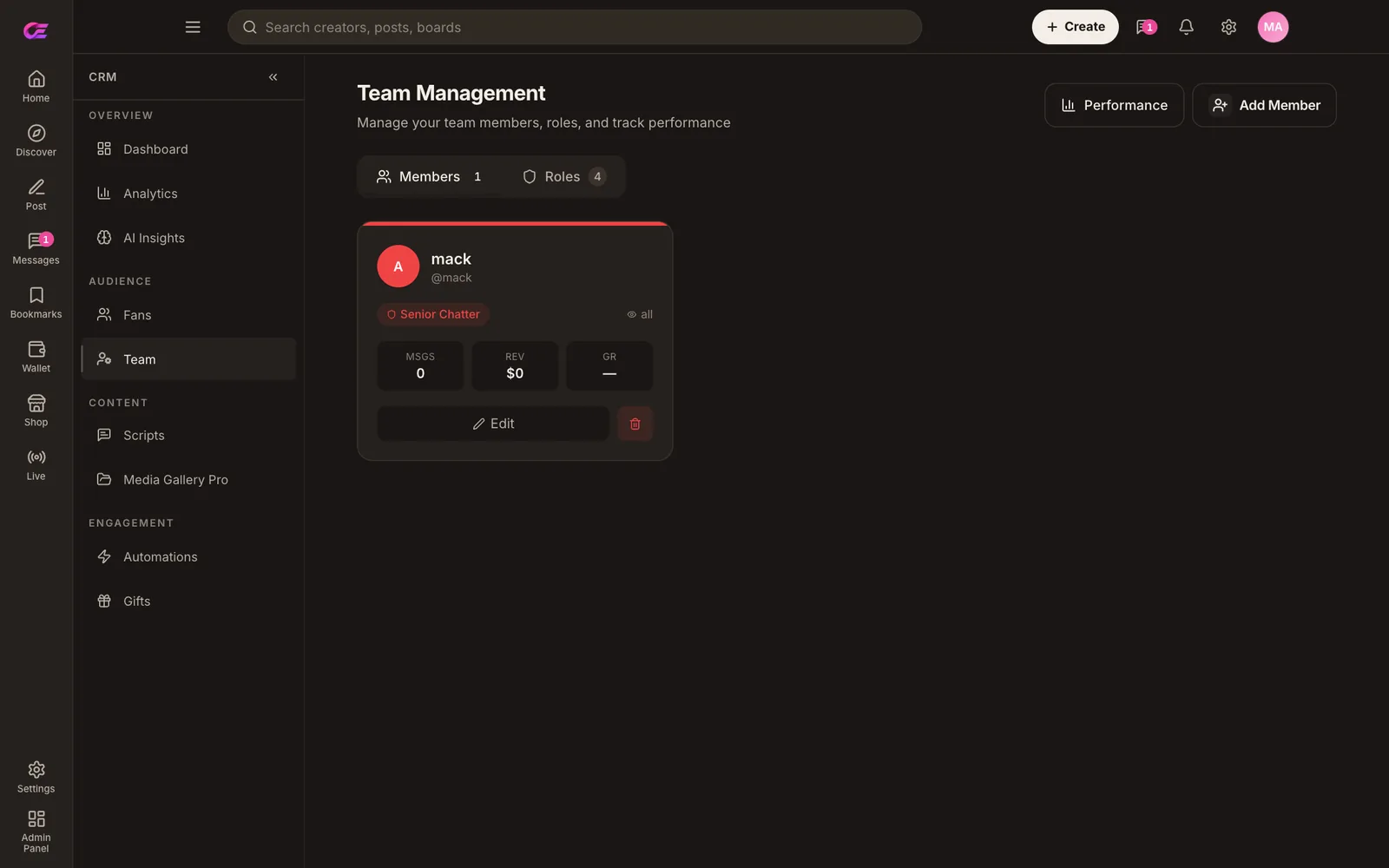
If you manage several creators, the platform you sell on also decides how your team works. OFEngine has team logins and roles from Business, and full agency mode on Enterprise.
Each team member gets a login inside the creator CRM and a role, such as a chatter. You decide what each role can open.
OnlyFans' terms set its fee at 20% of every fan payment.[1][2] Enter the monthly fan spending across your creators and compare it with running your own site. Treat the result as a rough guide.
Pay once, host yourself, own the code forever.
$300 one-time
Everything required to launch a content-creator site.
Laravel backend source · React compiled
$1,500 one-time
Adds the creator power tools. Full source: fully editable.
Full Laravel + React source code
$3,000 one-time
Team management, the full AI suite and advanced CRM.
Full Laravel + React source code
Custom contact us
Multi-creator agency, your own mobile apps, full CRM and dedicated support.
Full Laravel + React source code
Contact salesSecure checkout. 3-day money-back if it doesn't fit your use case.
No. OFEngine is independent software with no link to OnlyFans. OnlyFans is a trademark of its owner, and we use the name only to describe the kind of site you can launch. Your site carries your own name and design.
No. You pay for the licence once. OFEngine takes no commission on subscriptions, unlocks or tips. You set your own platform fee in the admin, and your payment processor charges its own fees.
Pro ($1,500 one-time). Regular covers single-price subscriptions, PPV posts and messages, tips, the wallet and livestreams. Pro adds mass messaging with segmentation, scheduled DMs, voice notes, subscription tiers and bundles, and 1:1 paid video calls. See the plan table.
Yes, from Business up. Team members get their own logins inside the creator CRM, with roles and permissions. Enterprise adds full agency mode: agency applications with admin approval, per-role creator scope and per-worker sales attribution. How it works for agencies.
OFEngine includes CCBill (FlexForm on every plan, the RESTful API from Pro), NETbilling Direct Mode and NOWPayments for crypto. Stripe and PayPal are there for SFW sites, since Stripe restricts adult content.[3] You apply for the merchant account yourself. Compare the processors.
It has a configurable 18+ warning screen, which is self-declaration, and manual ID review for creators. There is no built-in third-party age-assurance vendor, so a UK-facing adult site needs to add one to meet Ofcom's rules.[6]
On Enterprise you get your own iOS and Android apps, under your brand, connected to your site. On every plan fans can add the site to their home screen from the browser. Ask about Enterprise.
Sources (checked 26 October 2026)
"OnlyFans" is a trademark of its owner and appears here only to name the category of site you can build with OFEngine, which is not affiliated with, endorsed by or connected to OnlyFans.
Buy the licence once, install it on your server and set your own fee.