Keep the platform fee
Fanvue keeps 15% of creator earnings in month one and 20% after that.[1] On your own site, you set the fee and it lands in your account. We take no commission.

OFEngine gives you a creator platform with an AI chat agent that answers fans and offers pay-per-view, plus AI Compose and AI insights. Buy it once from $300. No revenue share. It runs on your domain and your server.
The AI suite is in Business and Enterprise. OFEngine is independent software and is not affiliated with Fanvue.
Want to test the AI settings yourself? Log in to the live demo as admin →
Keep the platform fee
Fanvue keeps 15% of creator earnings in month one and 20% after that.[1] On your own site, you set the fee and it lands in your account. We take no commission.
Own the fan list and the brand
Fans sign up on your domain. Their accounts, purchase history and messages sit in your database, under your name and your design.
Set your own rules
You write the content policy, the payout minimum and schedule, and the price limits for AI sales. Stay within the law and your payment processor's terms.
Fair warning: Fanvue also handles payments, ID checks, moderation and payouts for its creators. On your own site those become your jobs. That trade makes sense once you have creators with real volume, or you run a network or agency.
Fanvue built its pitch around AI messaging, a chatbot and an AI creator agent.[2] OFEngine brings AI to your own site through three tools that share one AI connection, which you choose and pay for directly.
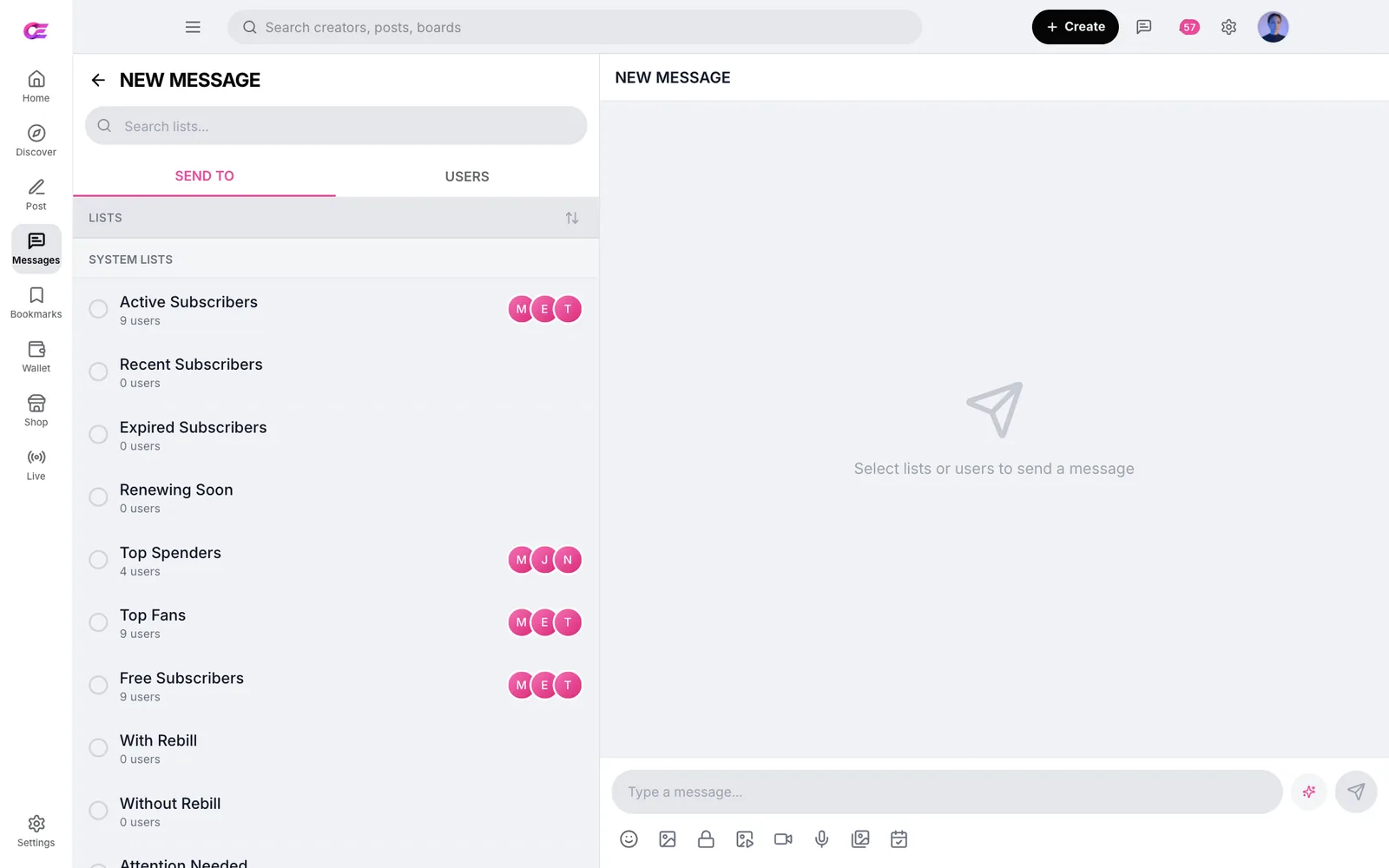
The agent replies to fan DMs in the creator's voice. It reads the conversation history, can offer pay-per-view items and summarises long threads.
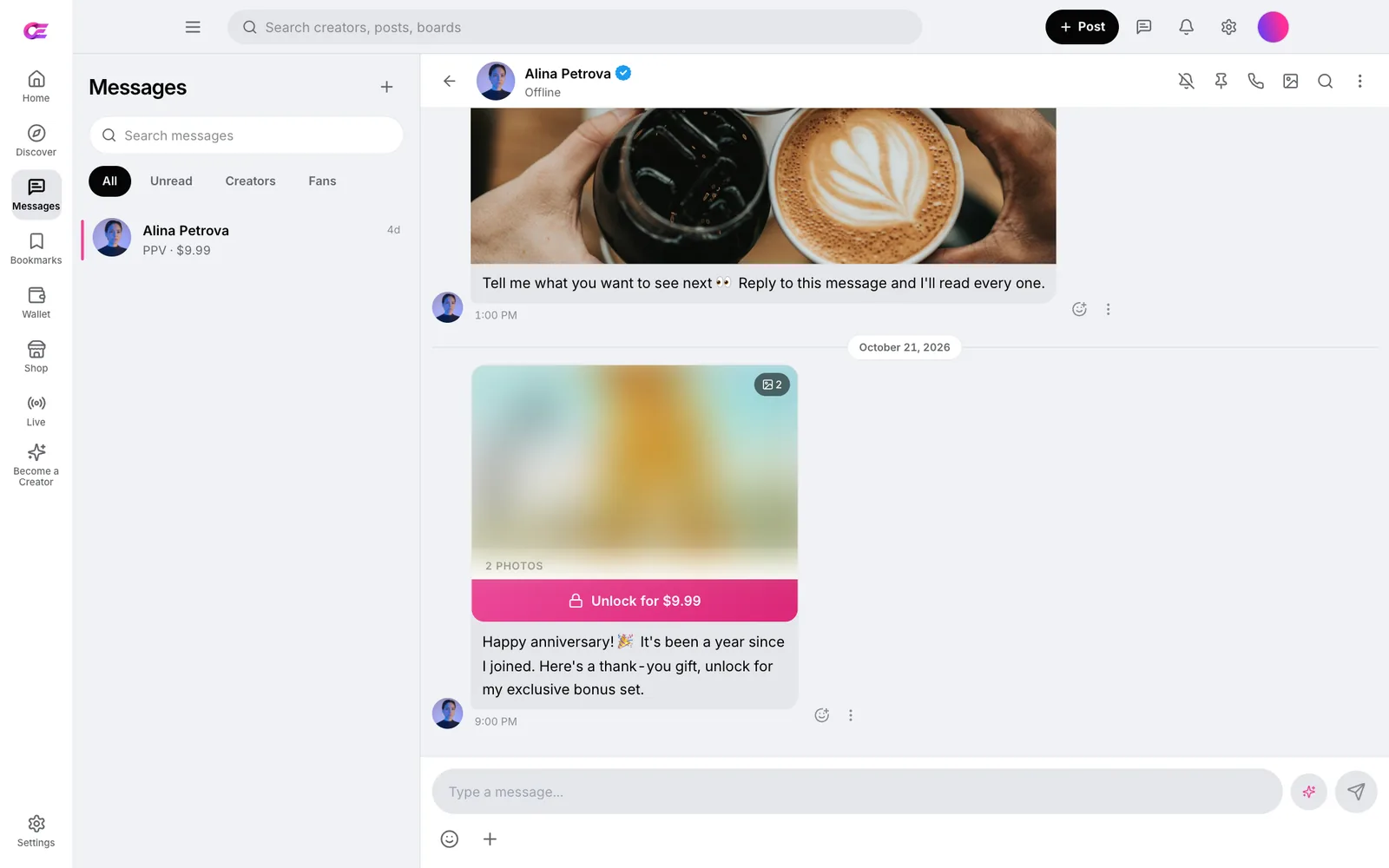
When the agent offers paid content, it stays inside a platform minimum and maximum price that you set. Fans see a normal locked message they can unlock from their wallet or card.
Review conversations where the agent sells, especially in the first weeks.
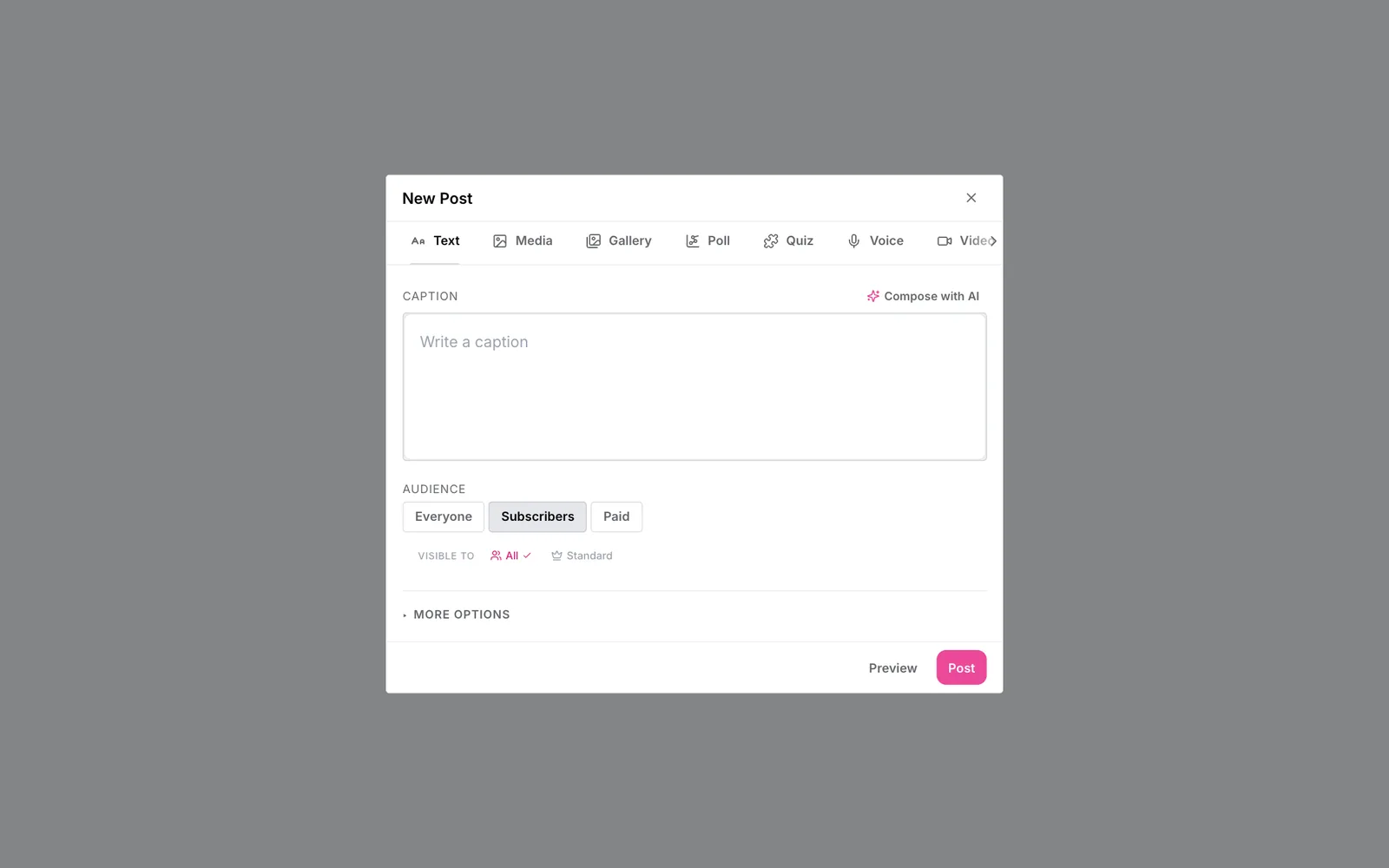
AI Compose writes posts, captions and messages. It sits in the post and message composer as soon as an AI provider is connected.
AI insights answer questions about revenue and fans in plain English. They also flag fans likely to churn and unusual swings in revenue. Insights appear in the CRM for team roles you allow.
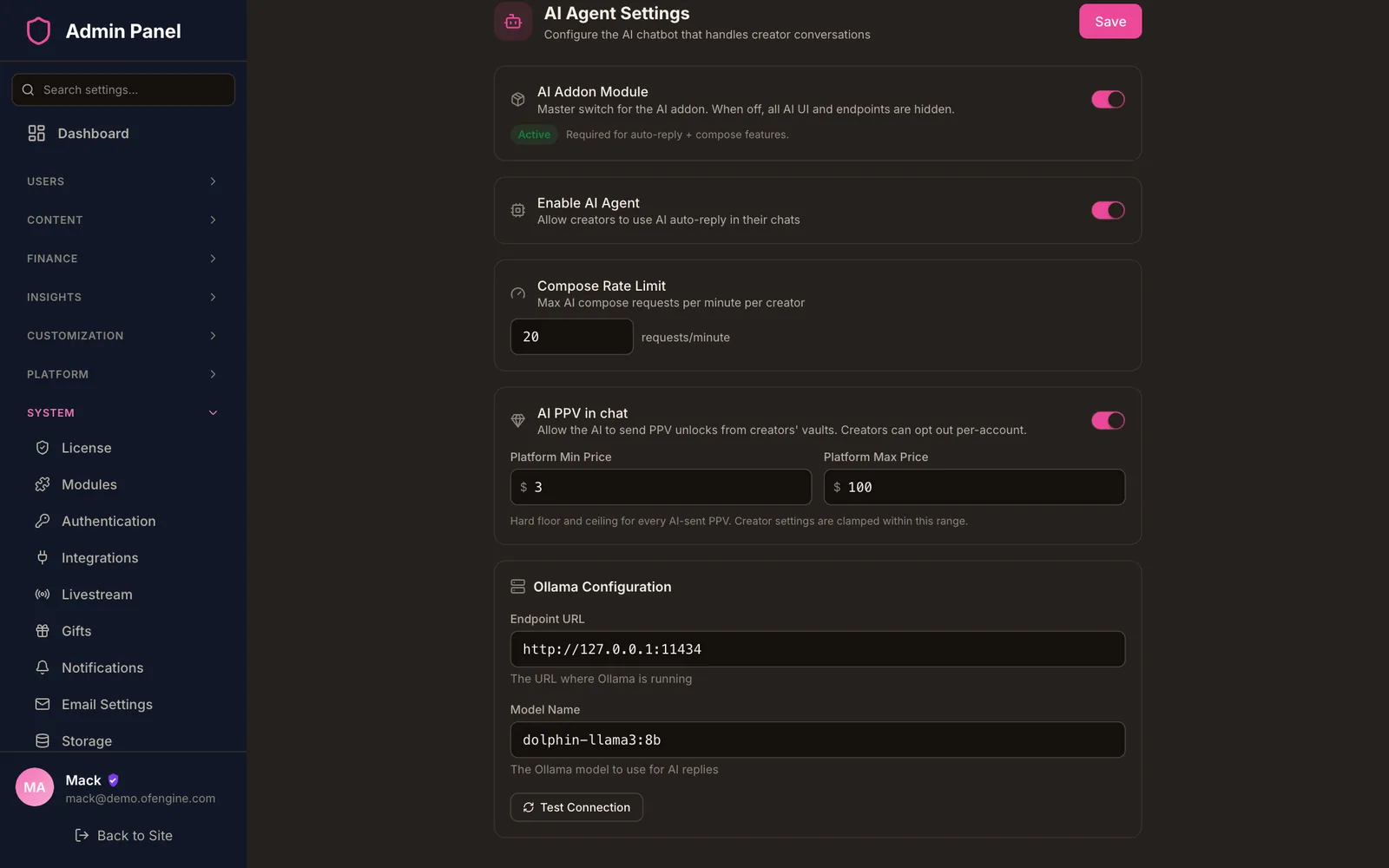
Run an open-source model on your own hardware with Ollama (the default), or connect OpenRouter or any OpenAI-compatible API. Usage is billed by your provider, not by us.
A site-wide on/off switch, a compose rate limit and a PPV price range. Creators can test their agent first and turn it off per chat.
Fanvue also offers AI voice notes and AI voice calls.[2] OFEngine has no AI voice or voice cloning. Try the demo before you buy if voice matters to you.
Which plan? The AI chat agent, AI Compose and AI insights come with Business and Enterprise. Regular and Pro do not include the AI suite.
The money-making parts fans and creators expect, plus the admin tools you need to run them. Some items depend on the plan; the pricing table has the exact split.
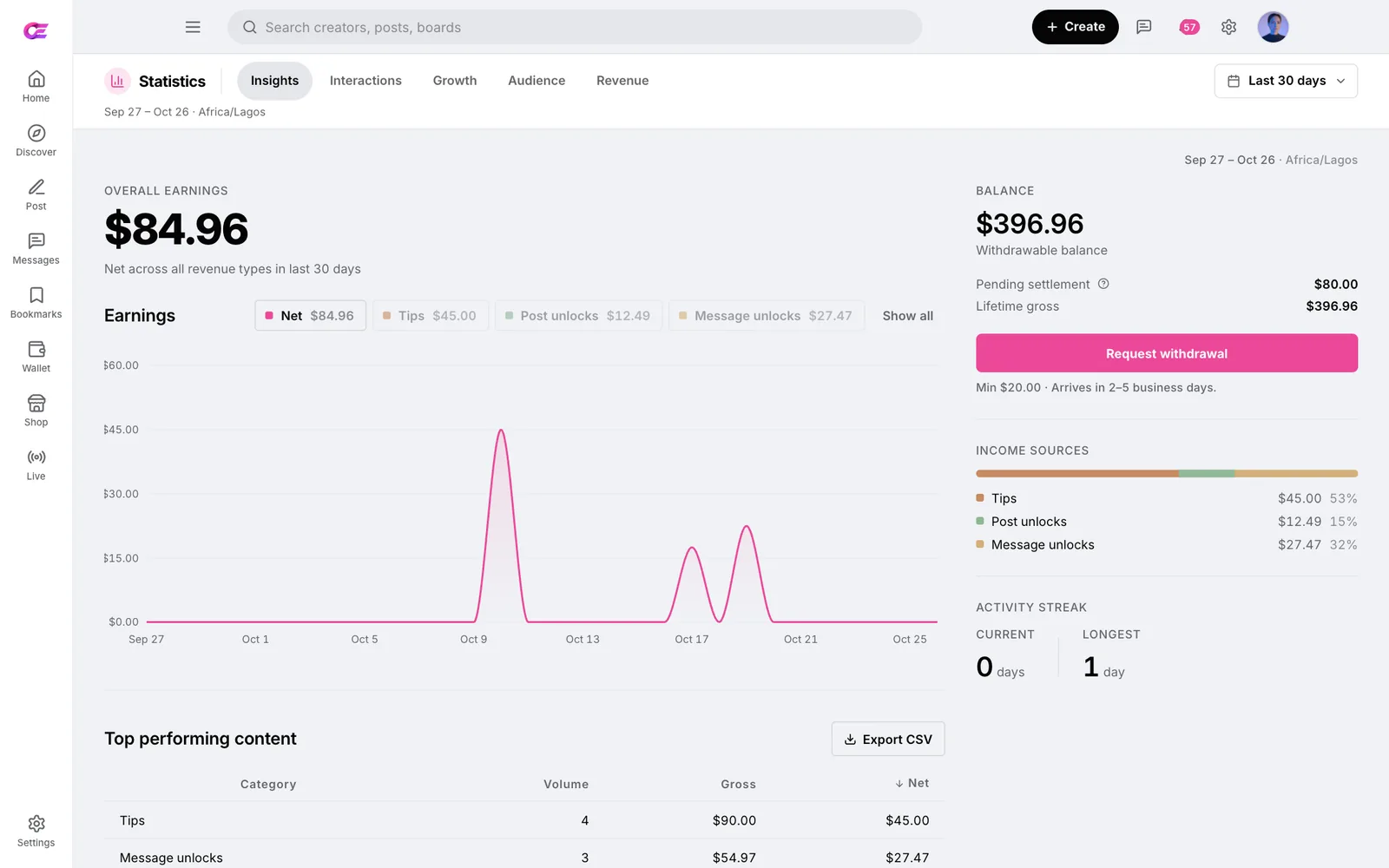
Fanvue facts come from its own website and help centre, checked 23 October 2026. The right column is what you get, and what you take on, when you run the platform.
| Topic | Fanvue | Your OFEngine site |
|---|---|---|
| Platform fee | Keeps 15% in month one, then 20%[1] | You set the platform fee % in the admin. OFEngine takes no commission |
| Software cost | Covered by its share of earnings | One-time licence from $300, plus hosting |
| Fan accounts and data | Fans sign up to Fanvue | Fans sign up on your domain; the data is in your database |
| Brand and domain | A profile on fanvue.com | Your name, domain and theme |
| Content rules | Fanvue's community guidelines[6] | Your policy, within the law and your processor's rules |
| Payouts | $20 minimum, 3 to 5 business days, run by Fanvue[5] | You set the minimum and schedule and approve each request |
| AI tools | AI messaging, AI chatbot (beta), Creator Agent, AI voice notes[2] | AI chat agent, AI Compose, AI insights (Business and up) |
| Payments, ID checks, moderation | Handled by Fanvue | Yours: merchant account, ID review, moderation, age assurance |
| Finding fans | Fans already on the platform | You and your creators bring the audience |
Enter what fans spend per month across the creators you work with. Change any assumption. The result is a rough guide, not a quote.
Pay once, host yourself, own the code forever.
$300 one-time
Everything required to launch a content-creator site.
Laravel backend source · React compiled
$1,500 one-time
Adds the creator power tools. Full source: fully editable.
Full Laravel + React source code
$3,000 one-time
Team management, the full AI suite and advanced CRM.
Full Laravel + React source code
Custom contact us
Multi-creator agency, your own mobile apps, full CRM and dedicated support.
Full Laravel + React source code
Contact salesSecure checkout. 3-day money-back if it doesn't fit your use case.
No. OFEngine is independent software. Fanvue is a trademark of its owner, and we use the name only to describe the type of site you can build. Your site runs under your own brand.
Business ($3,000 one-time) and Enterprise. Both include the AI chat agent, AI Compose and AI insights. Regular and Pro do not include the AI suite, though they cover subscriptions, pay-per-view, paid messages and tips. Compare the plans.
That is your policy call, within the law and your payment processor's rules. OFEngine has no built-in "AI creator" label, so you set the rules in your terms and enforce them in the creator verification queue. Fanvue's approach is a useful model: it verifies the real person behind each AI account, needs consent from any real person featured and labels AI accounts.[3][4] In the EU, Article 50 of the AI Act adds transparency duties for AI chat and deepfakes from 2 August 2026.[8] Get legal advice for your markets.
You choose. Ollama is the default and runs an open-source model on your own server or GPU machine, with no per-message fees and no chat data leaving your infrastructure. You can also connect OpenRouter or any OpenAI-compatible API. Usage is billed by that provider, not by us. Setup guide.
Yes. OFEngine has CCBill, NETbilling (Direct Mode), NOWPayments for crypto, Stripe and PayPal in the code, but you open the merchant account yourself. Stripe's restricted list bans pornography and other mature content, including AI-generated content that meets those criteria,[7] so an adult site needs a high-risk processor such as CCBill or NETbilling. Compare the options.
The software side is quick. Most installs take about 15 minutes with the 7-step web installer: upload the files, create a database, follow the steps. Pro and up include free installation. Plan separately for your processor application, creator ID checks and, for UK-facing adult sites, a third-party age-assurance provider. Installation docs.
Yes, on Enterprise: your own iOS and Android apps under your brand, connected to your OFEngine site so fans use one account everywhere. Each app store reviews apps under its own rules. On every plan, fans can install your site to their home screen from the browser. Ask about Enterprise.
Sources (Fanvue facts checked 23 October 2026)
Fanvue is a trademark of its owner. We use the name only to describe the type of site OFEngine can run. OFEngine has no connection to Fanvue.
One purchase. Your own domain. No revenue share to us.